πŸ“ŠDashboard

Effortless website security monitoring with agentless

circle-info

ChecURL is an intuitive tool that monitors website status in real time, requiring no complicated settings.

We check several aspects to ensure that your website is in good health.

1. Information Retrieval Time by License

(Unit: εˆ†)

item
Trial
Standard
Gold
Platinum

Connection Speed

30

10

2

1

Website Tampering DNS Spoofing

360

120

60

10


[Top Menu]

2. Description Top Menu

  • Refresh and Pause provided based on license type

  • Provide help link (?)

  • Summary provided at the top

  • When you select each Summary, filtered information for that specific category is displayed.

3. Domain Registration

  • Monitoring starts with just domain registration.

πŸ”— Domain Registrationarrow-up-right Link

4. Domain Information

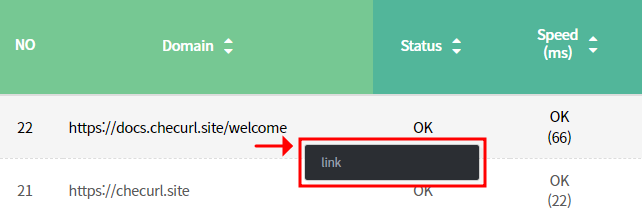
  • Right-clicking on each column provides access to detailed information:

[Information displayed when right-clicking]

4-1. Domain > Link

  • Go to a new browser with that domain

4-2. Status > ping

  • status 200 = OK

  • If status is not 200, increase attempt count.

  • When the set number of attempts is met, a notification email is sent and the count is reset.

[ping inquiry]

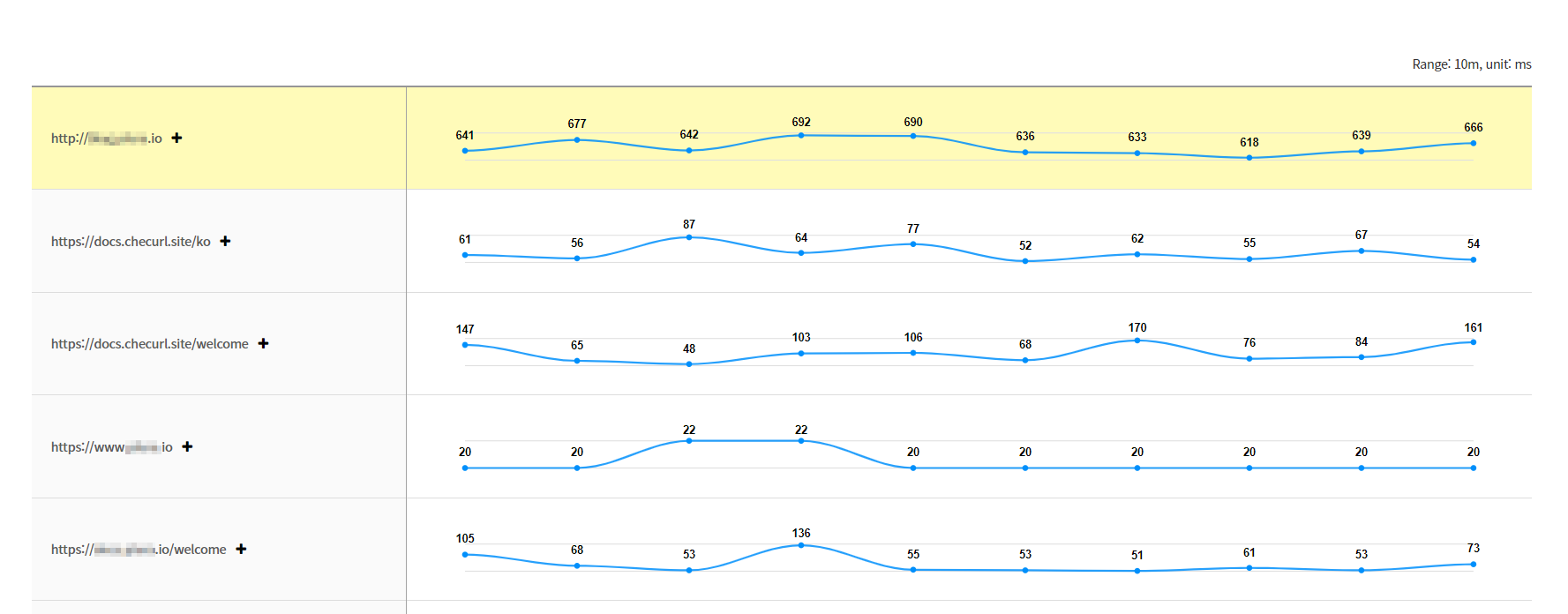
4-3. Speed > graph

  • When clicking on the speed icon, a speed graph is provided.

  • Data from the current point up to 10 minutes ago is exposed.

  • Provides graph extension functionality subject to license

    • (+) Clicking the icon provides 60 minutes of data.

  • When the set number of attempts is met, a notification email is sent and the count is reset.

[View cumulative speed graph]

4-4. Website Tampering > title, meta, response size

  • title

[title inquiry]
  • meta

[meta inquiry]
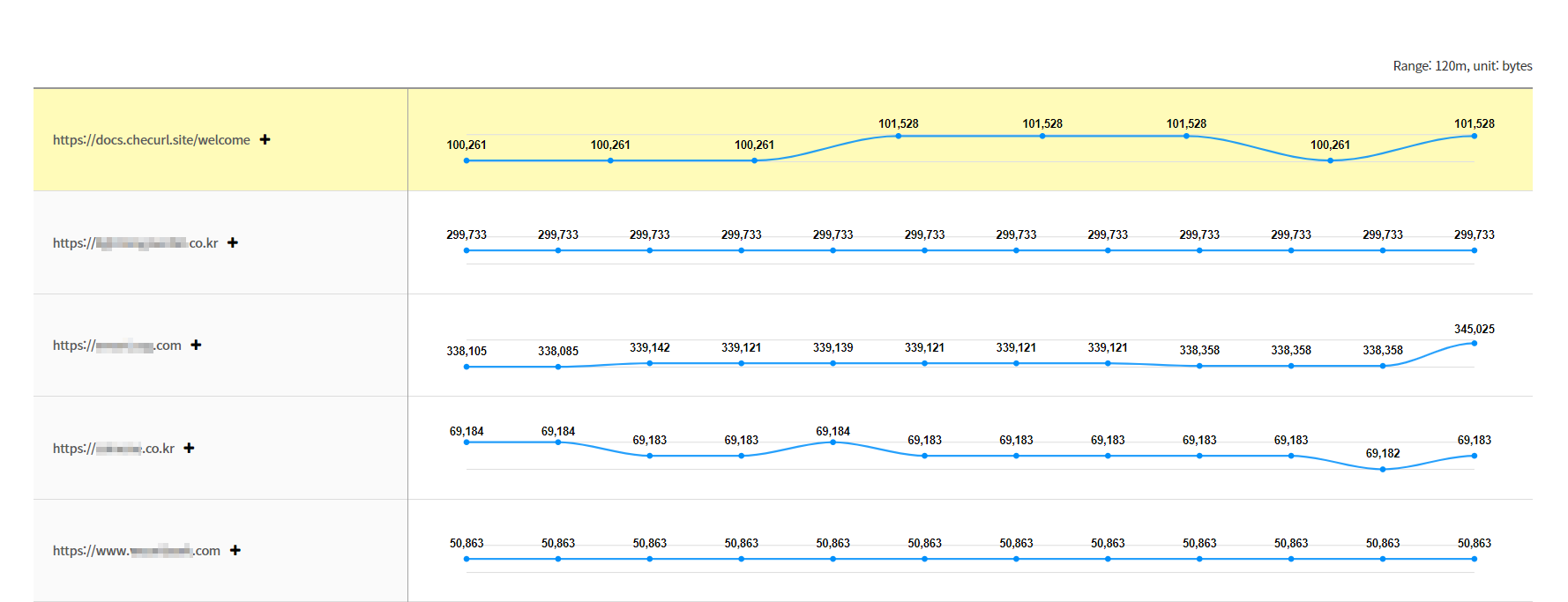
  • response size

[View cumulative response size graph]

4-5. DNS Spoofing > nslookup

  • If the IP address is different from the set IP address, a notification email will be sent:

[nslookup inquiry]

4-6. Domain Expiration > Domain, Refresh

  • Expiration date 30 days before (default): Send expiration date email:

[Domain inquiry]

4-7. Certificate Expiration >Certificate, Refresh

  • Expiration date 30 days before (default): Send expiration date email:

[Certificate inquiry]

5. Sort

  • Provides sorting in latest and past order based on creation date

6. Set the number of log lines displayed per page.

  • Set the number of log lines displayed per page, with options ranging from 20 to 100 lines by default.

Last updated